ProField User Research
Overview
ProField is a full suite of software, data management, and workflow planning tools for advanced meter infrastructure (AMI) deployment for smart grid planning, meter deployment management, and post rollout operations. I started working on ProField after I joined Aclara in March 2018 as a UX architect. Aclara is a world-class supplier of smart infrastructure solutions (SIS) to more than 1000 water, gas, and electric utilities worldwide. ProField started out as software alongside the smart meter deployment services. With the growth of the business, the old application user interface, navigational style and workflow started to look dated and not user friendly. We started our user research process before we set out for the complete revamp of the product.
Project Goal
- Understand and identify different kinds of users of ProField
- Created personas for ProField users
- Understand different users’ journey with ProField
- Create user journey maps for ProField users.
My Role
I’m the only UX designer supporting ProField. Working with product manager and product owner of ProField, we collaboratively defined the product’s roadmap. I was responsible for interviewing various kinds of internal and external users to understand their usage of the product, collecting usage data and conducting user surveys and focus groups to identify trends. User personas and journey maps were created as a result of this effort.
Skill/Tool Used
- User Interview
- Stakeholder Interview
- Focus Group
- Persona
- User journey Map
- Sketch
ProField Personas
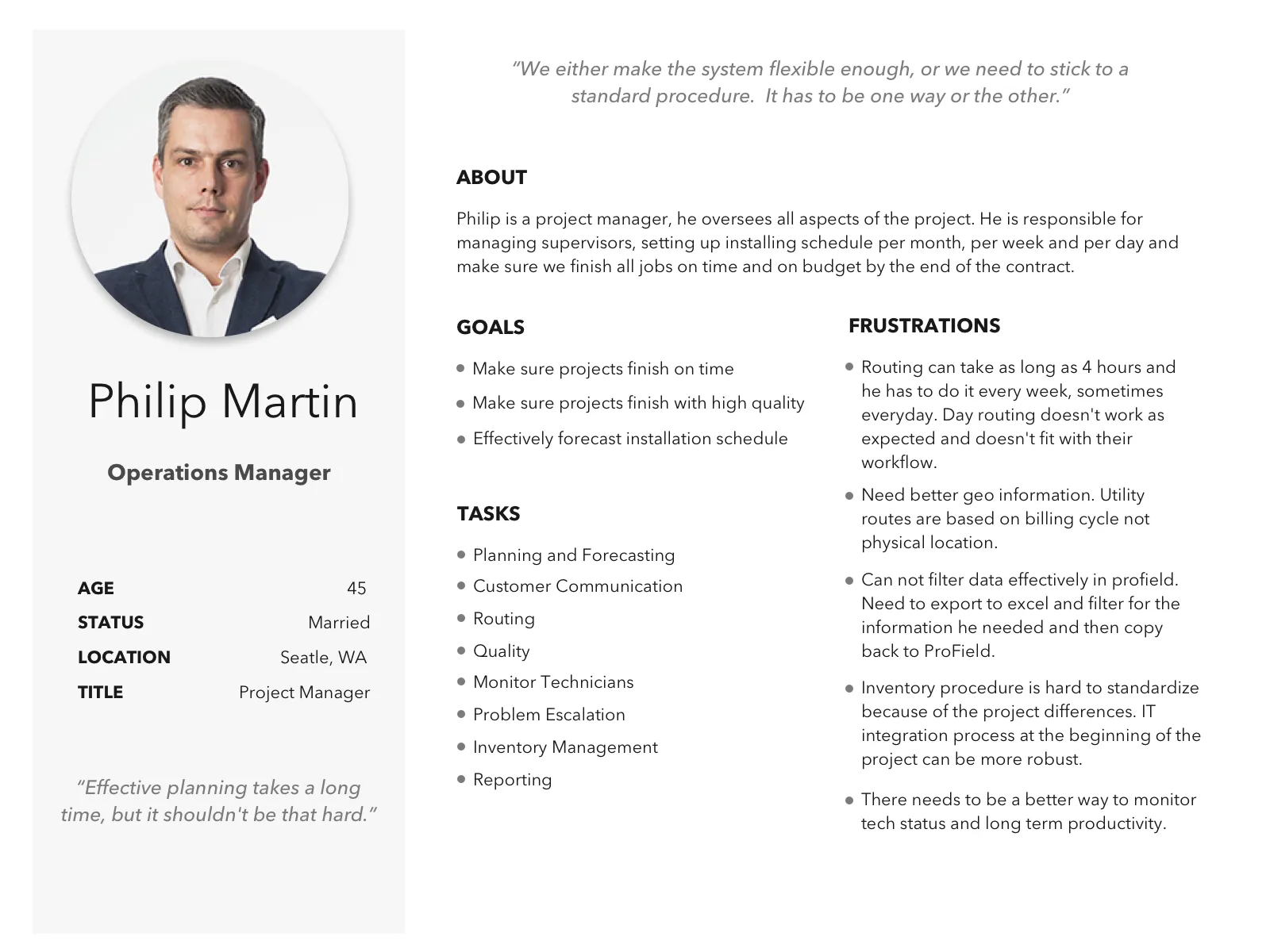
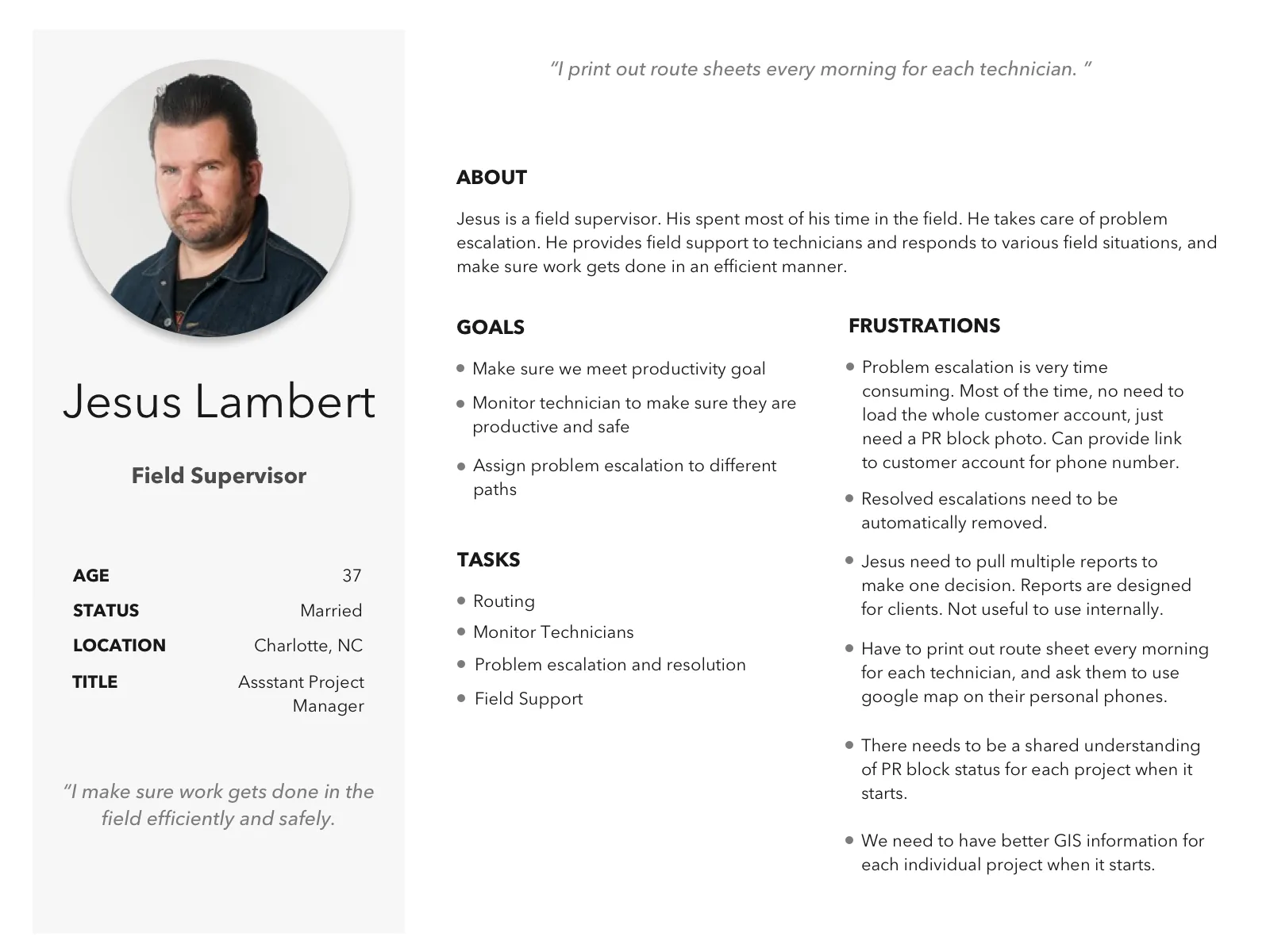
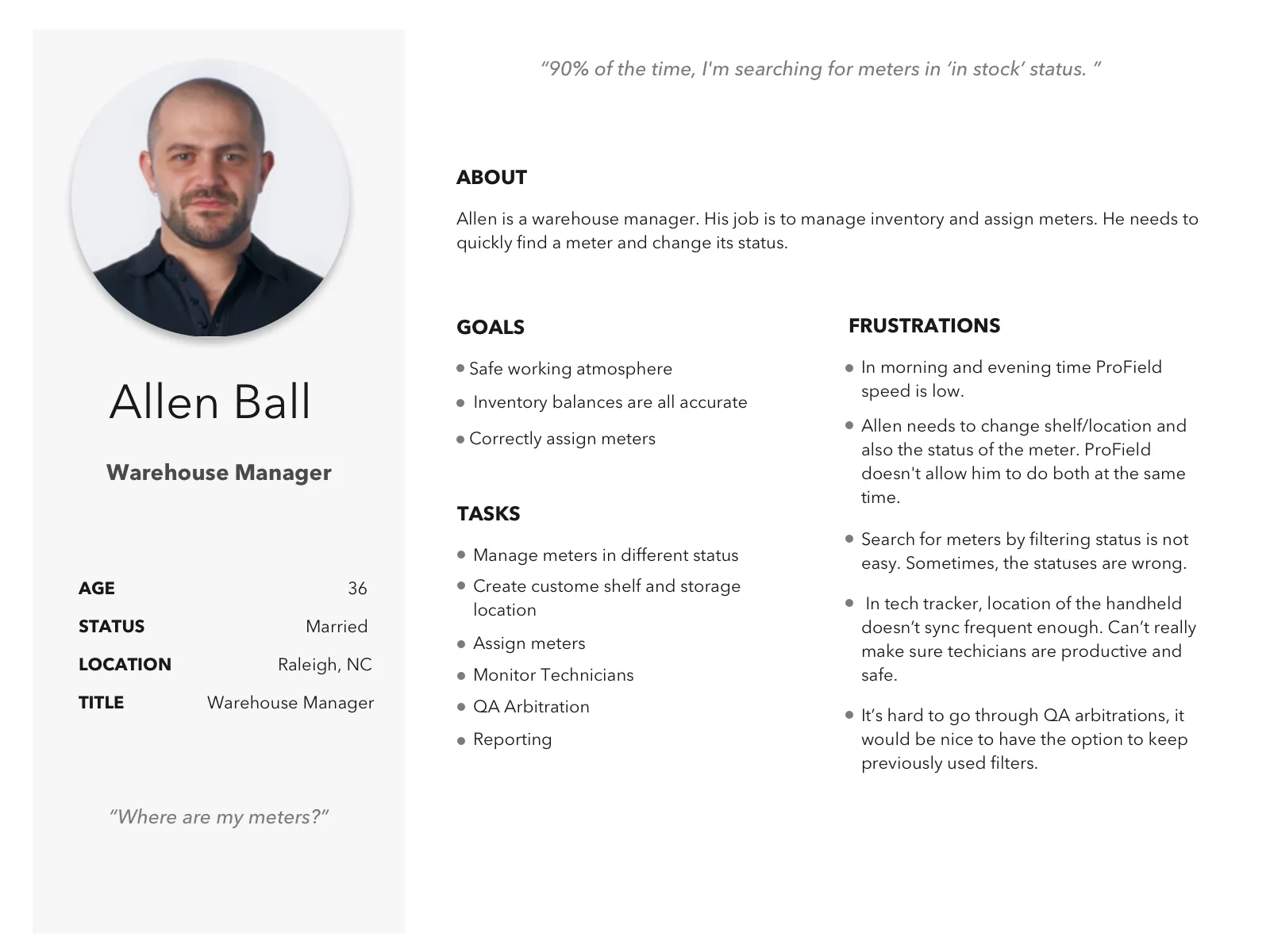
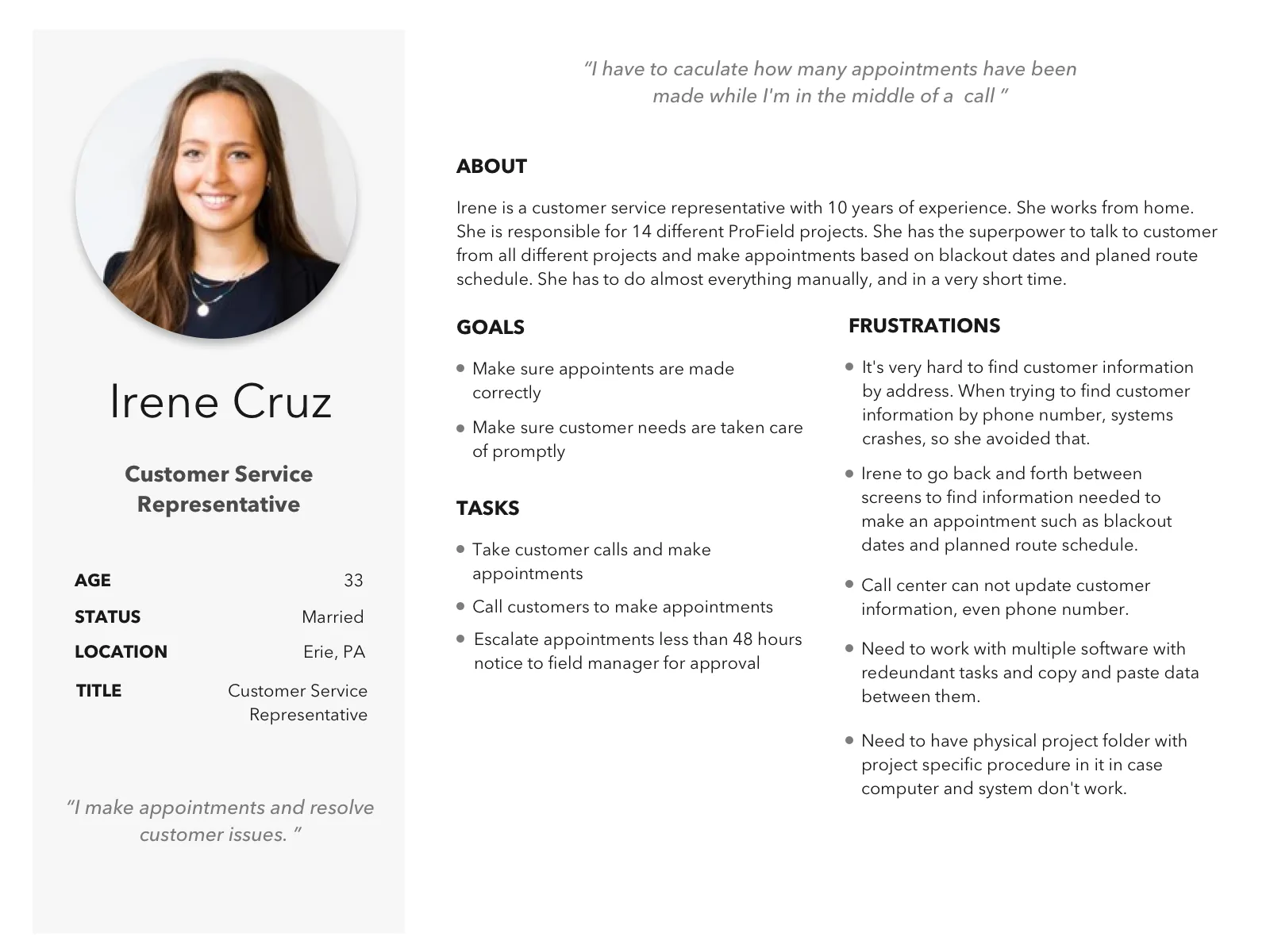
After analyzing the data, I determined there were 4 main internal users of the system: operations manager, field supervisor, warehouse manager, and customer service representative. The most common frustrations for all users were system instability, slowness, and confusing functionality. Their frustrations with the system vary based on their specific job responsibilities and workflows. See each persona for detail.
ProField User Journey Maps
I also created user journey maps for each persona. They illustrated their overall workflow, and the emotional and cognitive journey they went through in their work.
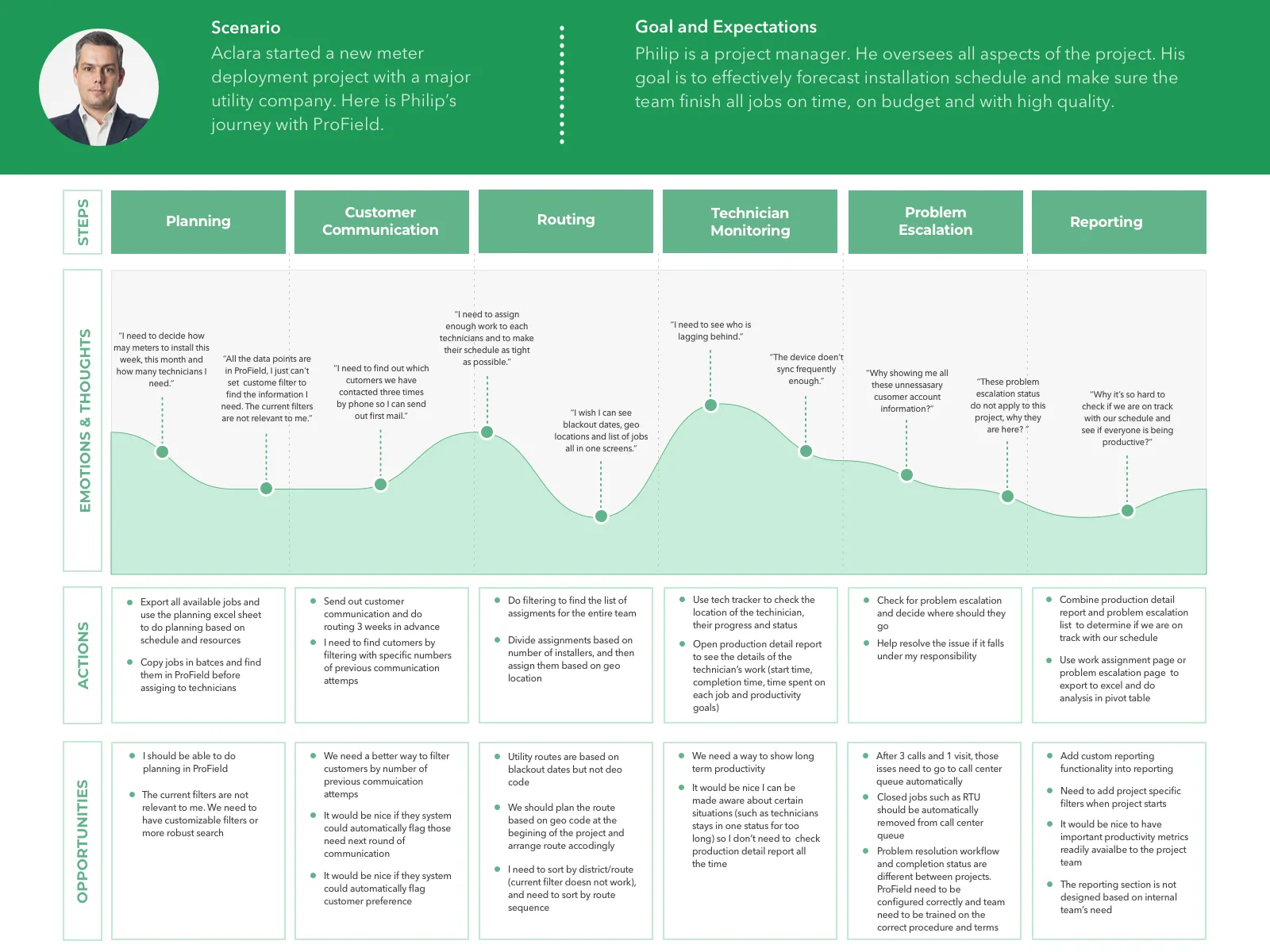
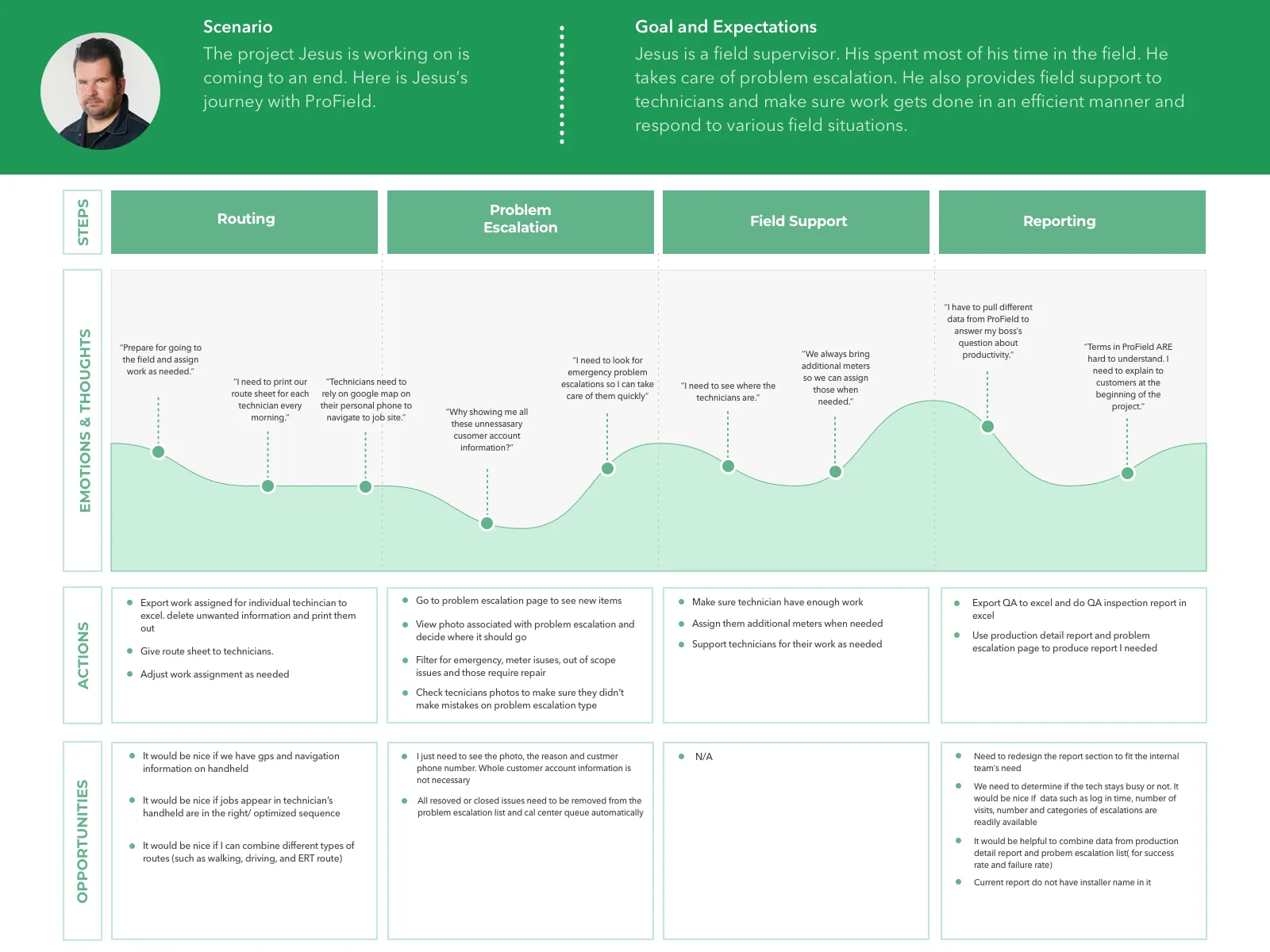
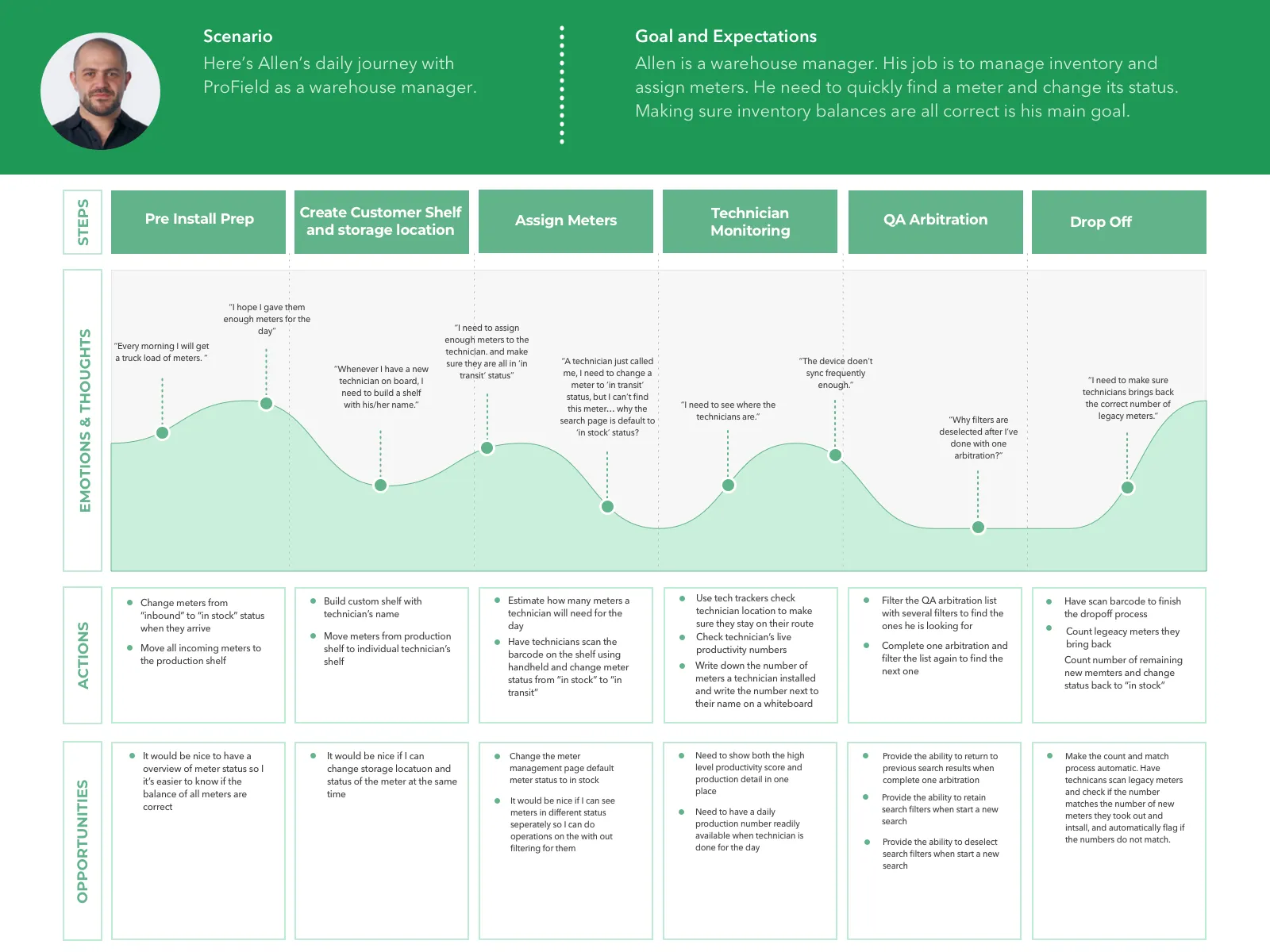
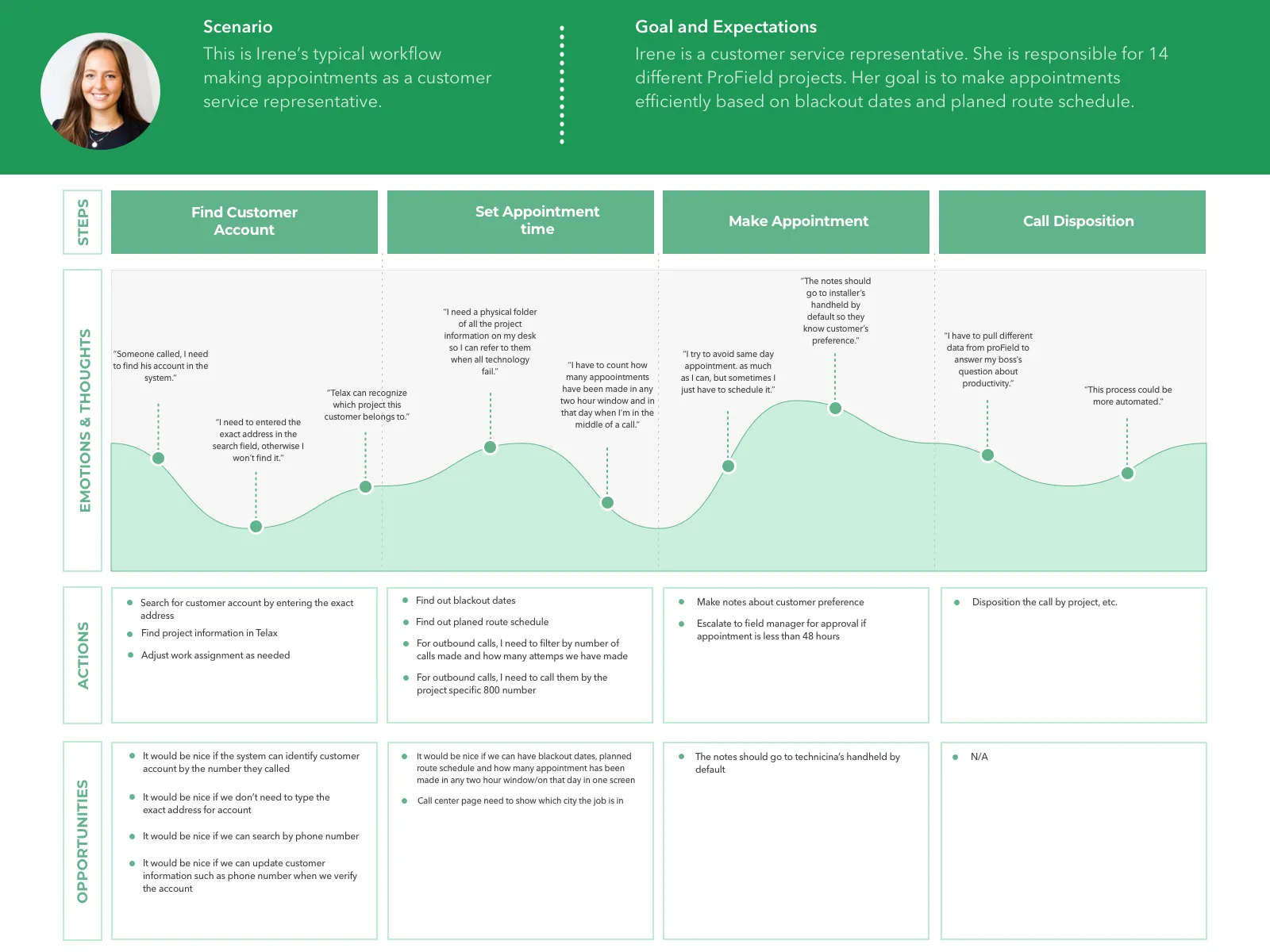
Personas and Journey maps created during user research phase serve as a starting point for product redesign planning, ideation and product roadmap. They are also a part of the effort to turn the company’s development culture from a mostly system-centric one to a user-centered design approach. This project was used as a model for organization-wide adoption of user-centered design process.
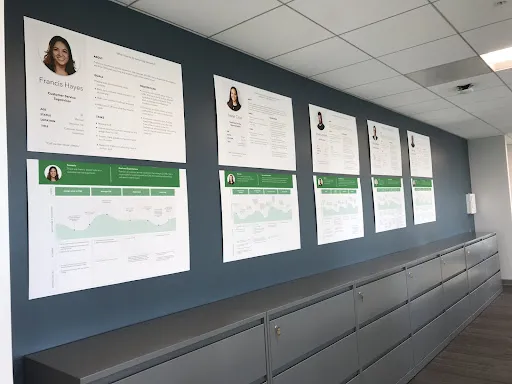
The ProField product team turned user personas and journey maps into posters and hung them on the office hallway. So we can keep them in mind when we design in our daily work. It was so satisfying for a UX designer to see my work turn into physical artifacts in our workspace.